Imposition
Imposition decides how pages sit on a press sheet. The old template approximated it; the new engine calculates it.
01 · Before and now
From a rough guess to a calculation
Imposition in the spreadsheet was very basic, and the paper forecasts built on it were sometimes wrong. A wrong forecast shows up late, as too little paper on the press or too much on the shelf.
The engine now works in millimetres, with no screen involved. The same code feeds the quote, the production order and the viewer, so a number never differs between them.
02 · The sheet
A sheet drawn to scale
Everything that is not a page is part of the problem, so the sheet is drawn with all of it.
- GripperThe strip the press holds the sheet by. It carries no print.
- Control stripColour patches for the pressman, placed on the gripper side.
- Margins and guttersSpace at the edges and between positions.
- PositionOne folded spread: two pages on each face.
Two ways of printing are compared. In sheetwise every position has its own back. In work-and-turn half the sheet is turned over and printed with the same plates. The engine calculates both and picks the axis that fits more pages per sheet.
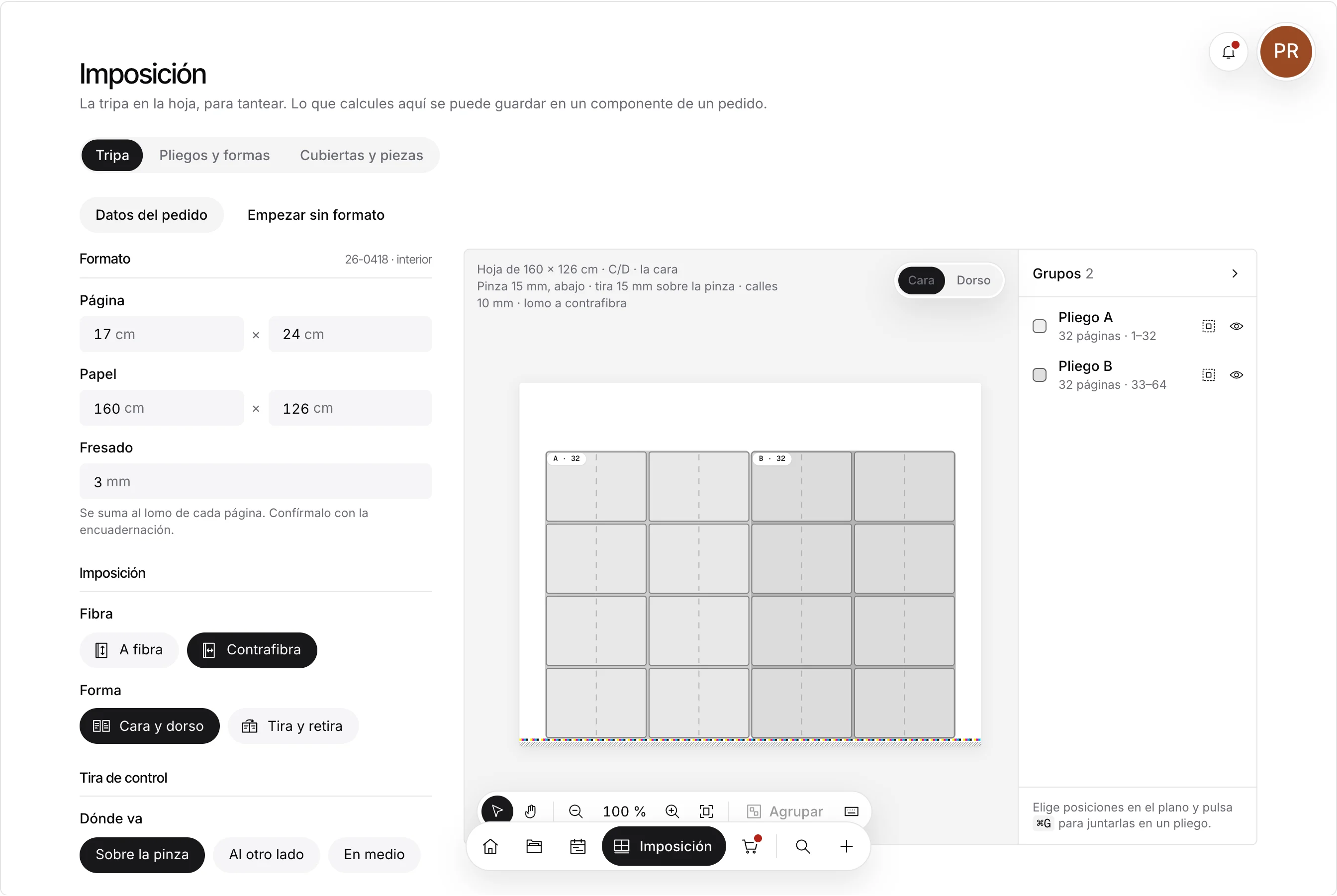
- Page, paper and finishing settings.
- The sheet drawn to scale, with sixteen positions.
- Flip between front and back.
- The two forms, A and B.
03 · Signatures
From pages to forms
A book is not printed in one go. The engine splits the page count into forms of 32, 24, 16, 12, 8 and 4 pages, handles the remainder and counts the plates per ink.
The table of forms lets the planner change the type of each form and the allowance for waste, and every figure updates.
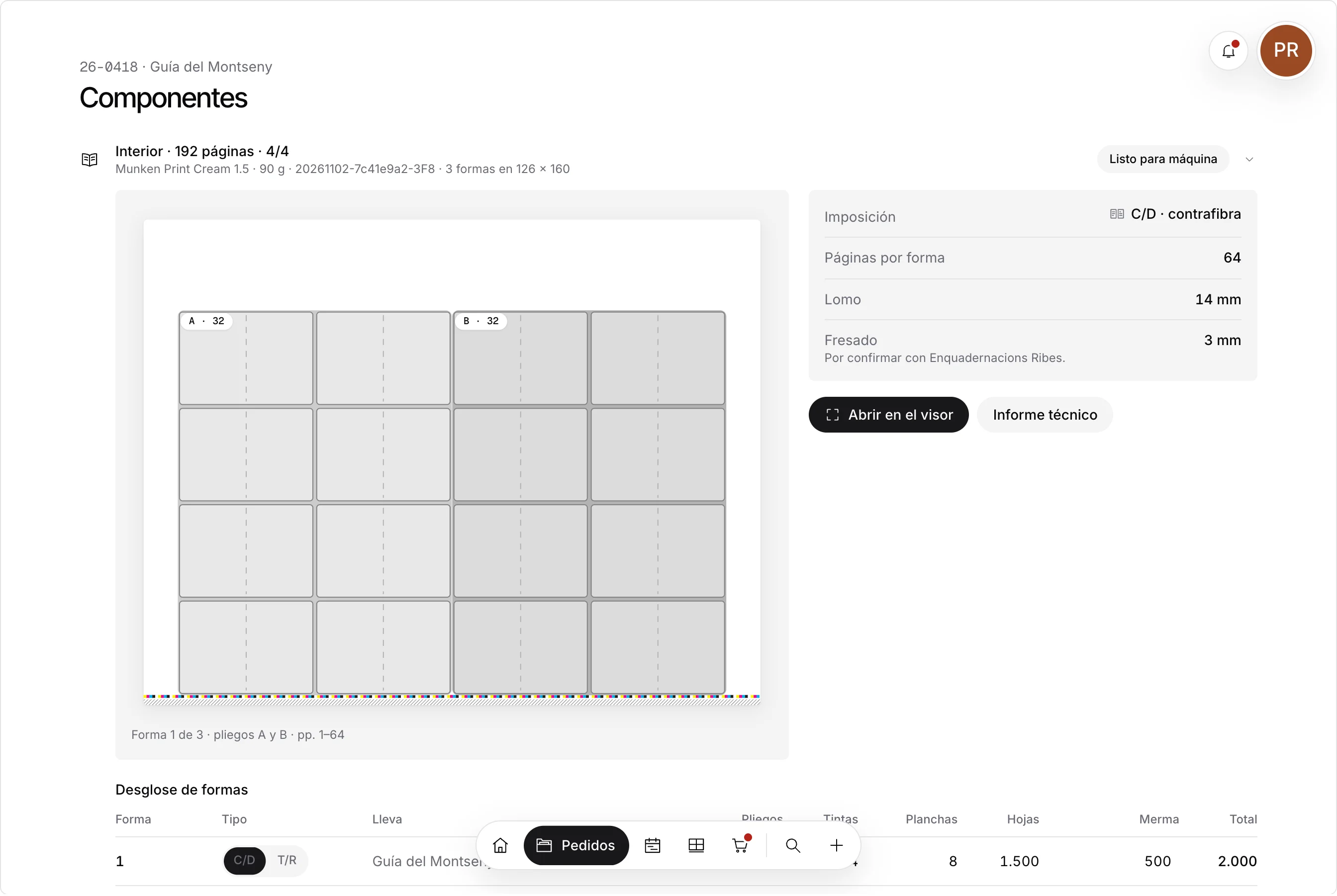
- The sheet with its forms, as saved in the order.
- Imposition, pages per form, spine and milling.
- Opens the full viewer or the technical report.
- Plates, sheets and waste for each form.
04 · Covers
A cover that follows the spine
An extended cover is back, spine and front in one piece, with bleed and trim. The spine depends on the number of pages and the paper, so the whole plan is recalculated when either changes.
05 · The viewer
Select, group, flip
The viewer is where a planner works with the result. Positions can be selected, grouped, zoomed and flipped between front and back. Whatever you have chosen is marked in orange, which is the only colour used for choice in the whole system.