Production, stock and administration
The part of the company where a quote becomes paper, ink, press time and an invoice.
01 · Orders and purchasing
One order, from quote to delivery note
An accepted quote creates the order, linked to it. Purchasing and subcontracting are done once, in production: stock only receives what arrives.
This replaces a chain of Access databases that already talked to each other: purchasing, sheet layouts, reservations, supplier PDFs, delivery notes and cost control per job. The chain is kept; what changes is that it now lives in one place with one record per customer, supplier and order.
02 · The machine calendar
Hour by hour, with dependencies
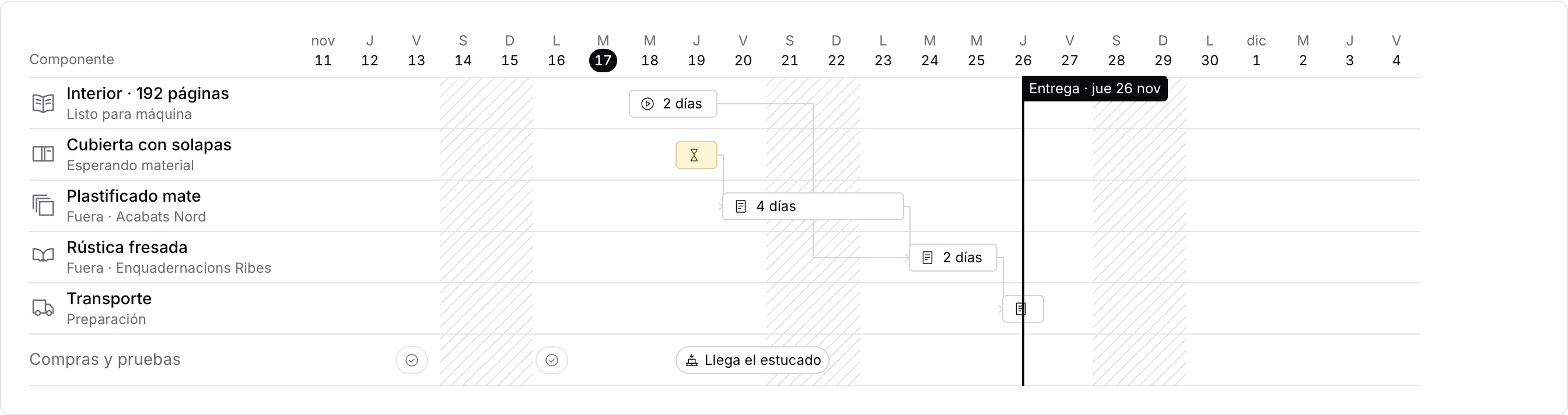
Jobs are adjusted to the press and planned hour by hour. They can be dragged to another slot, and the dependency between two jobs stays visible, like a Gantt chart for the order.
The state of a job is shown by how its line is drawn, not by colour, so the calendar stays legible when printed.
03 · The workshop
Big buttons, no connection needed
The workshop mode is built for gloves and bad Wi-Fi. Targets are large, there are only two actions, Done and Issue, and everything is stored and synced when the connection returns.
The machine reports that fed weekly, monthly and yearly yields in Access will come from this same data.
04 · The press
A view per machine
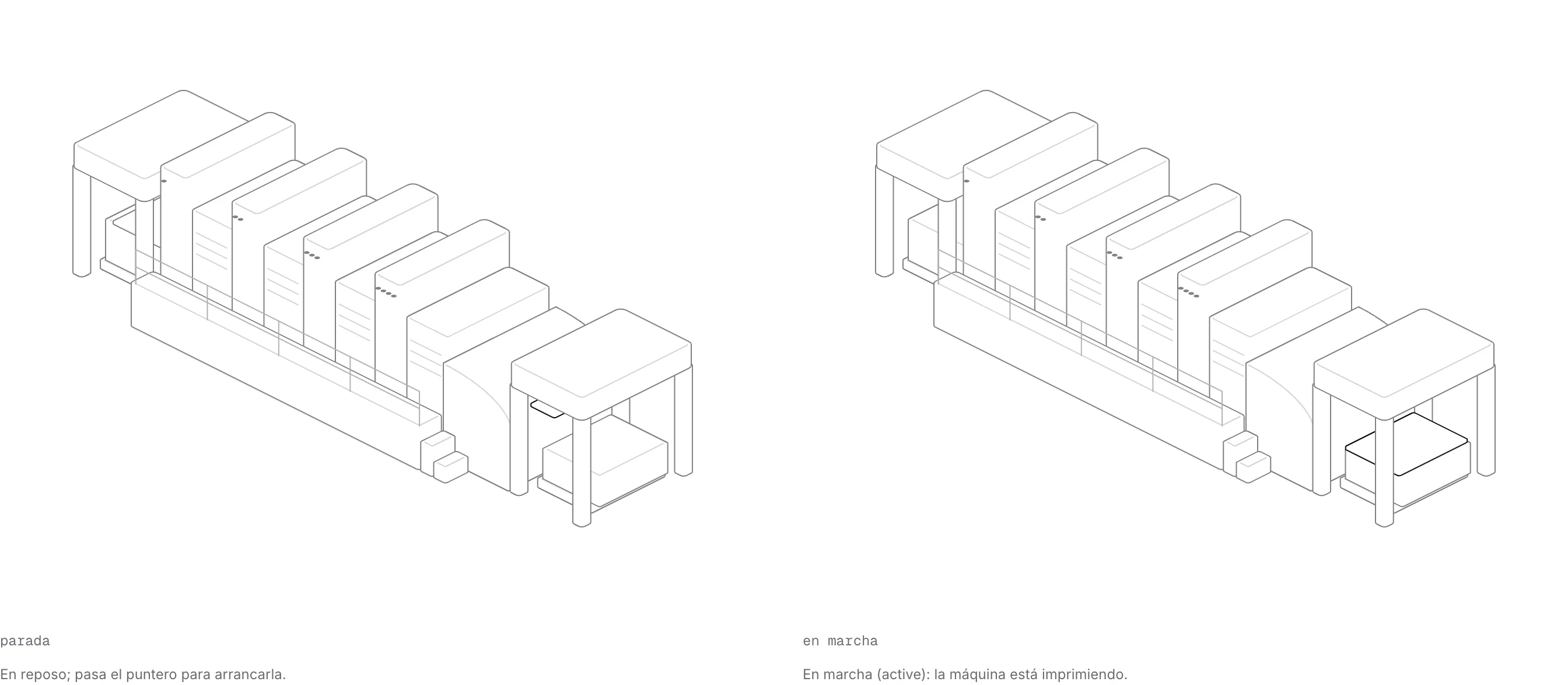
Each machine has its own view with its calendar, its jobs and its current state. At a glance it shows what is running, what is next and what is waiting on something else.
05 · Stock
The pilot, in daily use
Stock was the first app to move, and the one that proved the approach. It replaced the Access stock app and added what that one lacked: lot traceability, first-in-first-out consumption, certificates and printable labels with a QR code.
Clients who keep paper in the workshop see their own stock, reservations and movements in a portal. They received it very well.
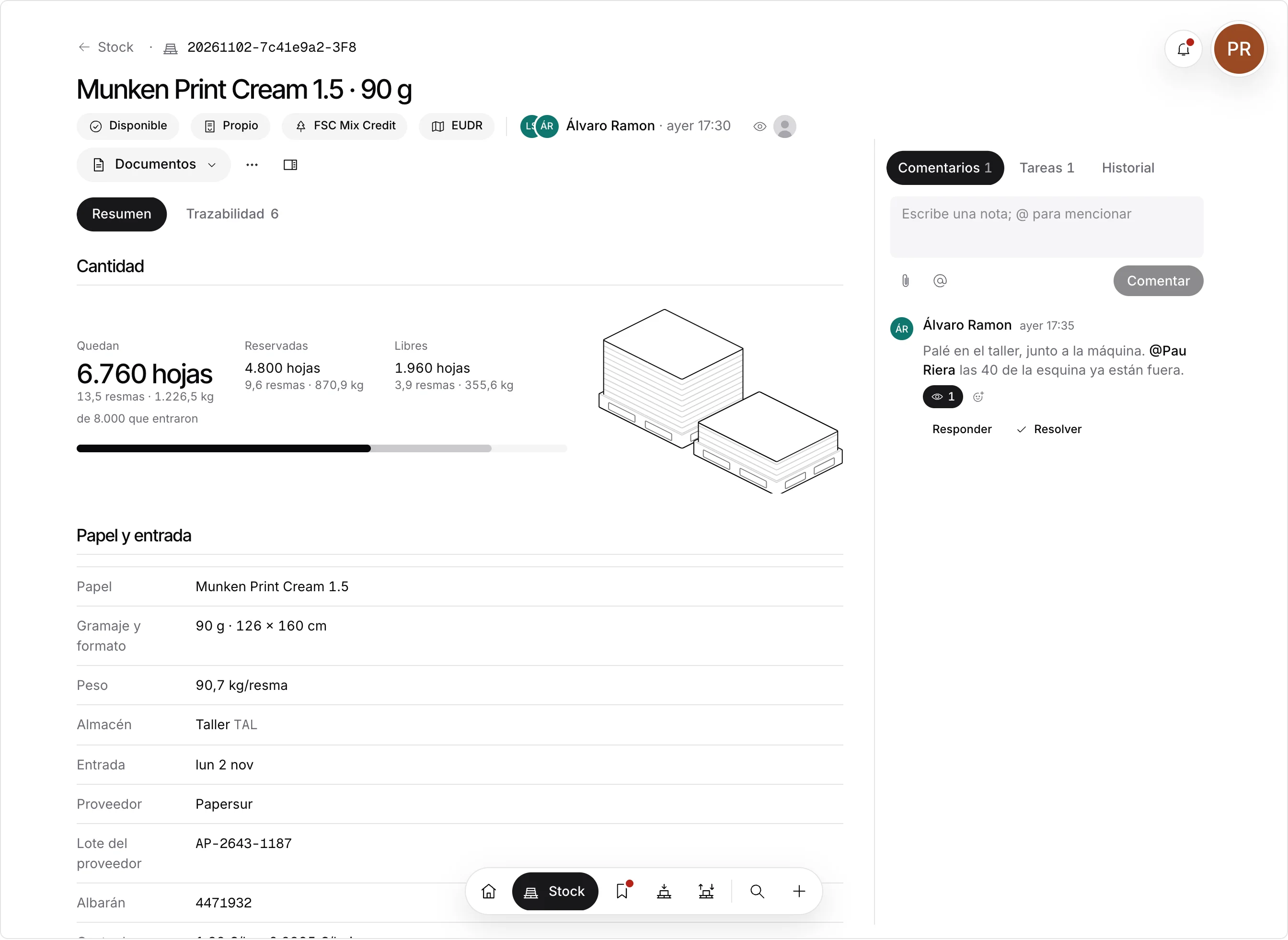
- Status, ownership and certification at a glance.
- What is left, what is reserved and what is free.
- The same split as a bar.
- Every movement of the lot, in its history.
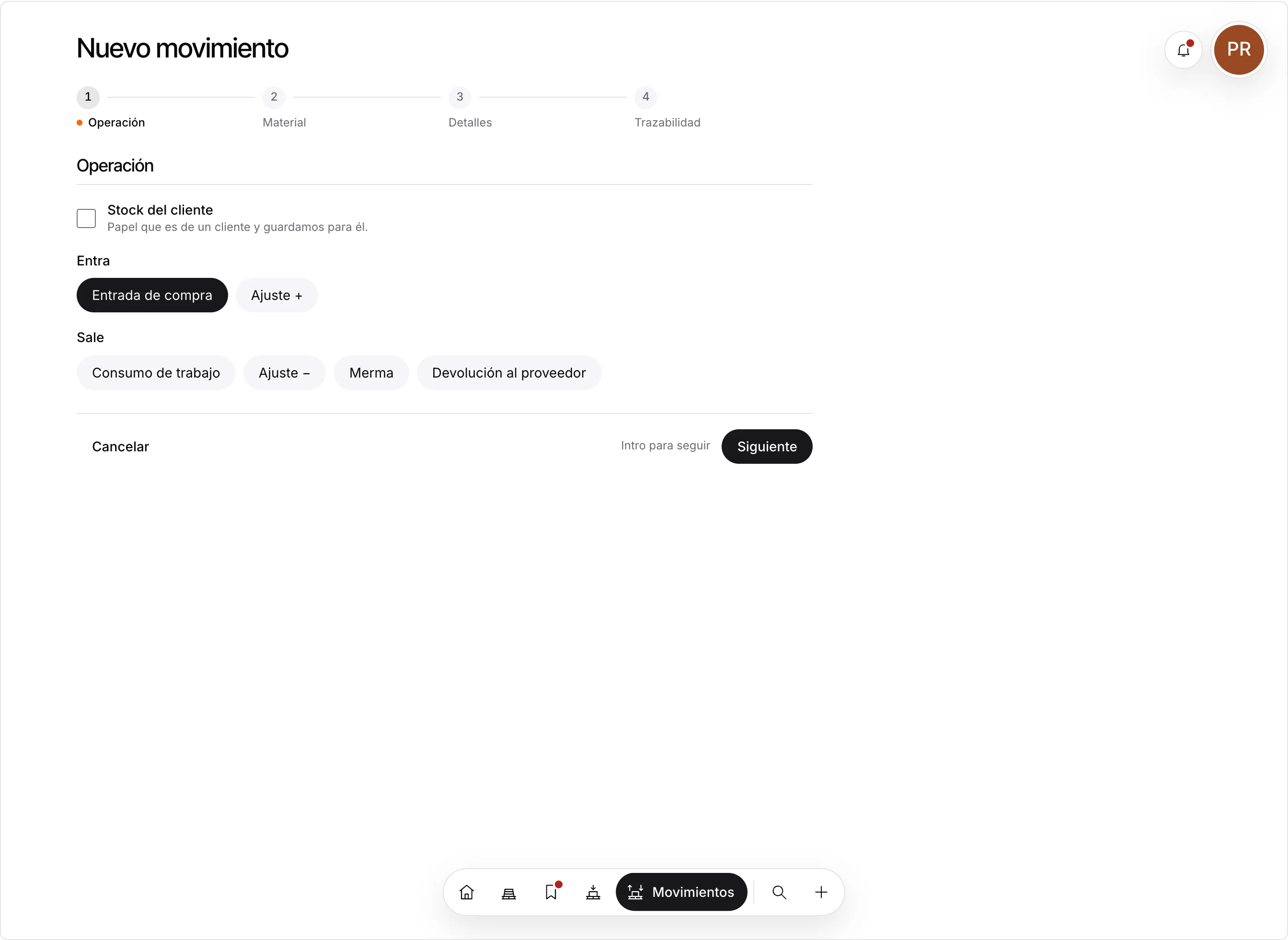
- Four steps; the current one is marked.
- What comes in…
- …and what goes out.
- Enter moves to the next step.
06 · Administration
Invoices that cannot skip a number
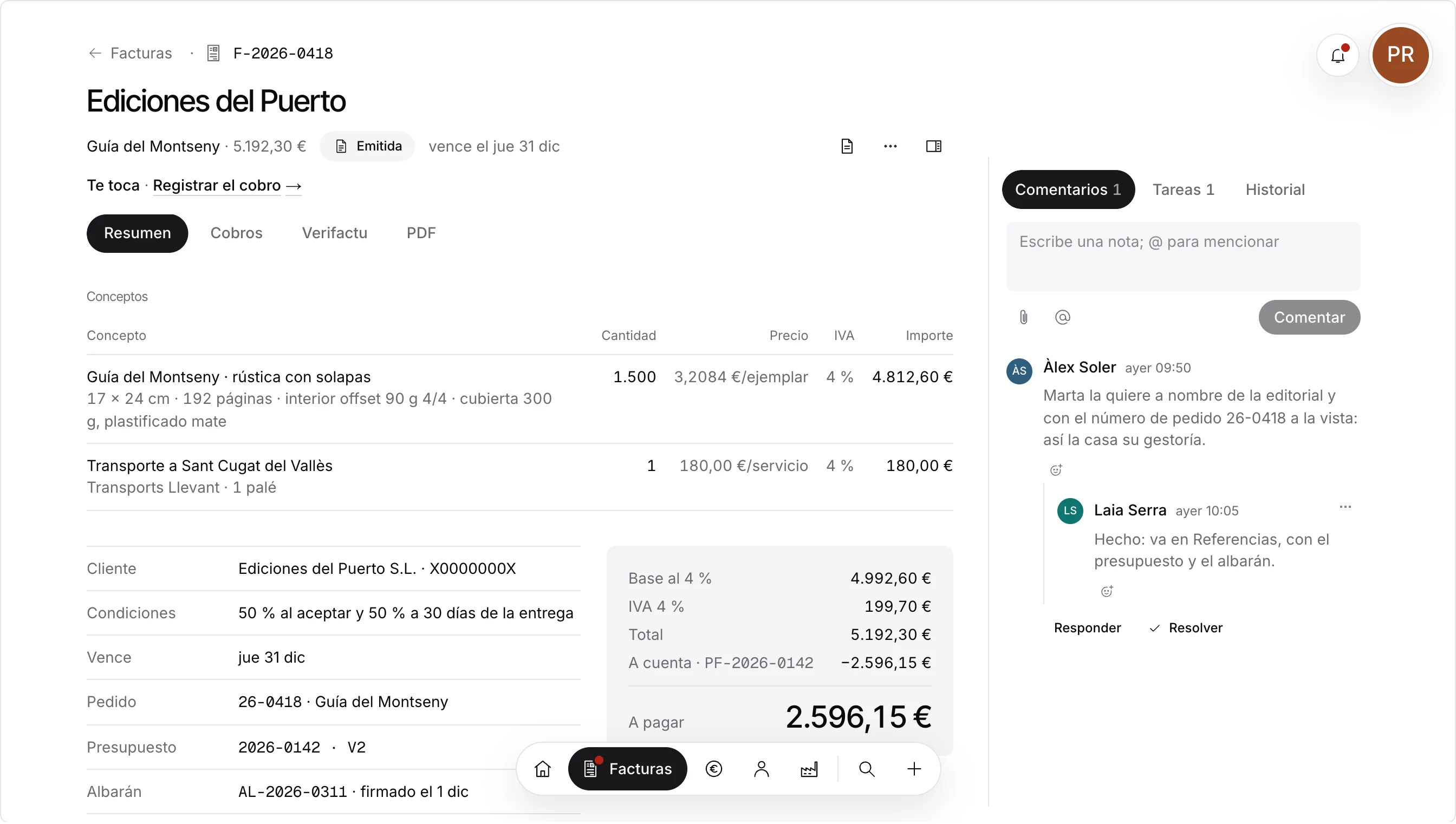
Invoices used to be Word templates fed by hand, with numbering and corrections done manually. Now they are issued from the data already in the order.
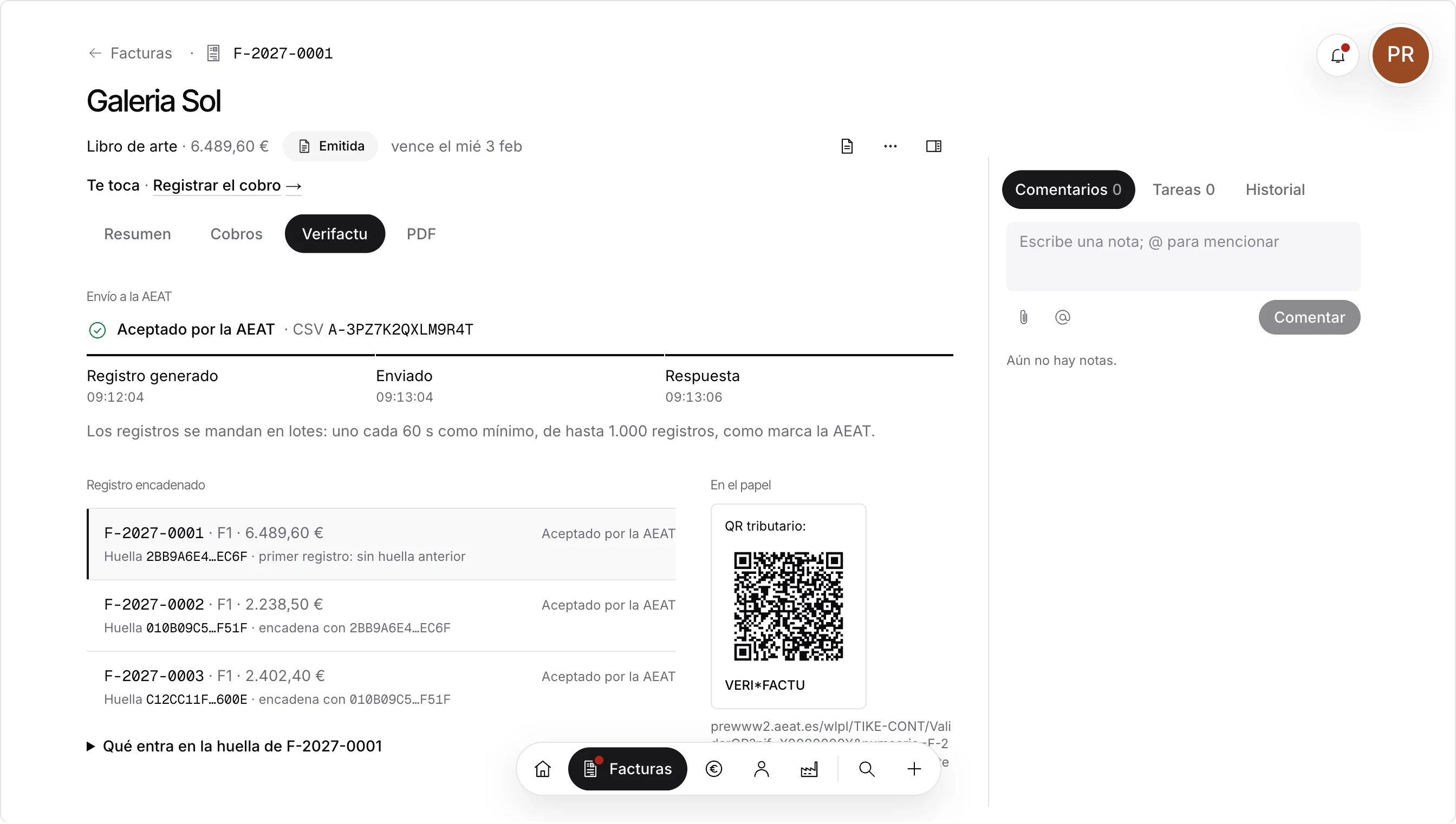
Issued invoices are numbered without gaps and chained, ready for Verifactu. Received invoices are matched to purchases, collections and payments are tracked, and the quarterly pack for the accountant is generated rather than assembled.
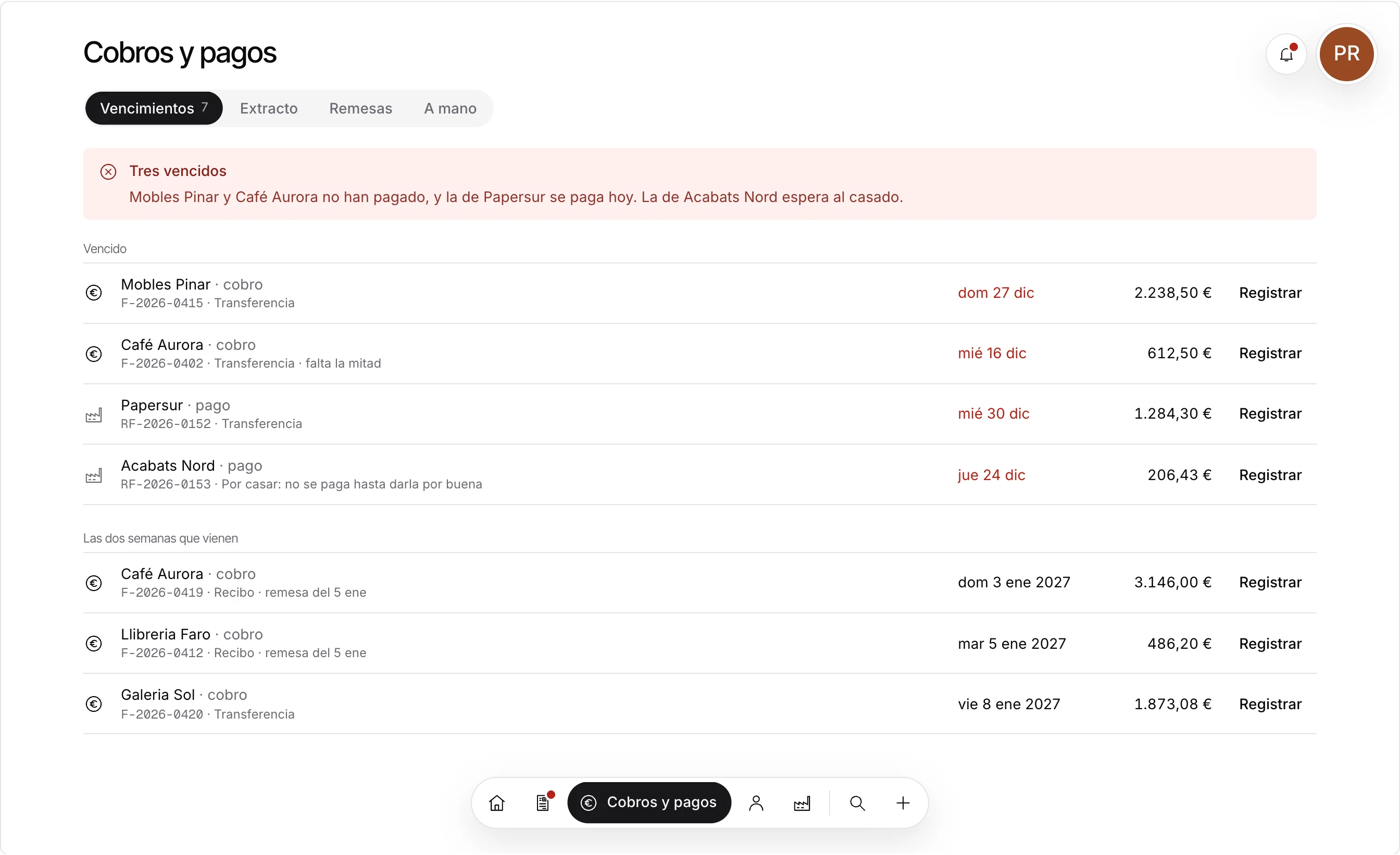
- Overdue items, summed up in one line.
- Overdue dates in red.
- Each one is recorded with one click.
- What falls due in the next two weeks.
07 · Where it stands
Rolling out in order
- StockLive. Clients use the portal.
- AdministrationIn development, driven by the move to Verifactu.
- ProductionNext, including the machine calendar.
- Workshop and machine reportsLast to migrate.